

Complete BMW ISTA Plus Full Diagnostic Software – Car Programming, History, Map & Circuit Diagram Download + Nitro Support
For professional BMW technicians, independent repair shops, and advanced DIY enthusiasts, having access to the full suite of diagnostic and programming tools is essential for accurate vehicle diagnostics, software updates, and deep-level repairs. Our BMW ISTA Plus Full Diagnostic Software is engineered to deliver comprehensive vehicle programming, history tracking, map editing, circuit diagram access, and Nitro integration—all in one powerful package. Whether you’re troubleshooting a complex electrical fault, updating a vehicle’s ECU, or restoring a car’s original programming history, this software is built to meet the demands of modern BMW diagnostics.
Why Do I Need BMW ISTA Plus Download for Professional Vehicle Repairs?
As a certified technician working in a mid-sized independent garage, I’ve faced countless challenges when trying to diagnose and repair newer BMW models. The issue wasn’t the tools—I had a good OBD2 scanner—but the lack of access to official BMW software like ISTA Plus. Without it, I couldn’t access the full vehicle history, update firmware, or even view the actual wiring diagrams. That changed when I discovered this ISTA Plus download solution. Now, I can perform full diagnostics, reprogram modules, and even restore lost data after a battery replacement. It’s become the backbone of my workflow.
Here’s what makes this software different:
- ISTA Plus
- BMW’s official diagnostic and programming software used by dealerships and authorized service centers. It enables full vehicle communication, ECU programming, and access to technical documentation such as wiring diagrams and software maps.
- Full Diagnostic Software
- A complete package that includes ISTA Plus, vehicle history retrieval, map editing tools, and circuit diagram access—essential for advanced diagnostics and repairs.
- Car Programming
- The ability to reprogram ECUs, BCMs, and other control units directly through the software, ensuring compatibility and proper function after component replacement.
- History Program
- Recover and view a vehicle’s complete service and fault history, including past repairs, error codes, and software versions—critical for diagnosing intermittent issues.
- Map & Circuit Diagram Download
- Access to official BMW wiring schematics and software maps, allowing precise troubleshooting of electrical faults without guesswork.
- Nitro Support
- Integration with Nitro, a powerful tool for unlocking advanced features, bypassing restrictions, and enabling hidden functions in BMW vehicles.
How Does This Software Compare to Other Diagnostic Tools?
Many third-party tools claim to offer BMW diagnostics, but most are limited to basic OBD2 functions. This BMW ISTA Plus download solution stands apart by offering full OEM-level access. Below is a comparison of key features:
| Feature | Standard OBD2 Scanner | Basic Third-Party Software | Our BMW ISTA Plus Full Package |
|---|---|---|---|
| Full ECU Programming Access | No | Partial | Yes |
| Vehicle History Retrieval | No | Basic | Full History & Fault Logs |
| Wiring Diagram Access | No | Not Available | Official Circuit Diagrams Included |
| Map Editing Capability | No | No | Yes (Advanced Map Tools) |
| Nitro Integration | No | No | Yes (Full Support) |
| Software Updates | Not Applicable | Manual Updates Only | Automatic Updates via Installer |
How to Install and Use BMW ISTA Plus Full Diagnostic Software
Setting up the software is straightforward, even for users with moderate technical experience. Follow these steps to get started:
- Download the Installer: Obtain the full package from the official source. The installer includes all necessary drivers, dependencies, and the latest ISTA Plus version.
- Prepare Your PC: Ensure your computer meets the minimum requirements: Windows 10/11 (64-bit), 8GB RAM, 50GB free disk space, and a stable internet connection.
- Run the Installer: Execute the setup file and follow the on-screen instructions. The installer will automatically configure drivers and system settings.
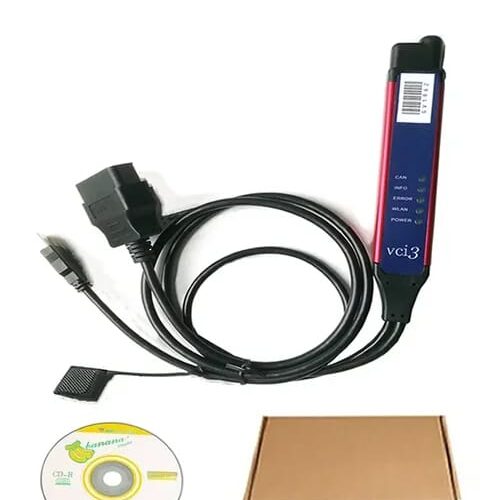
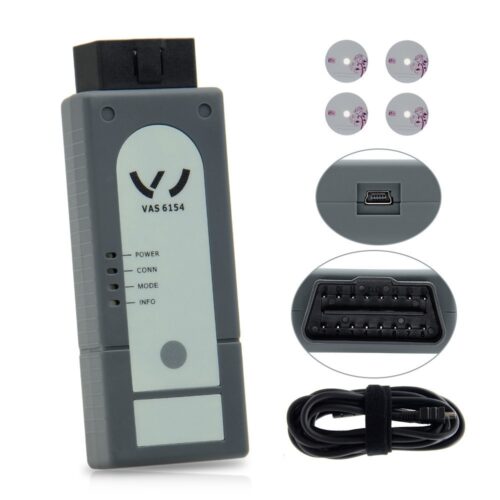
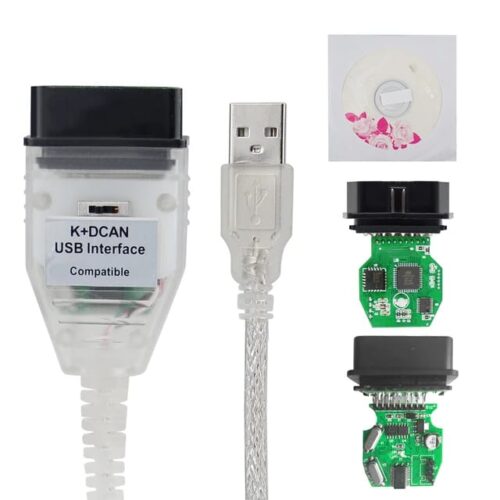
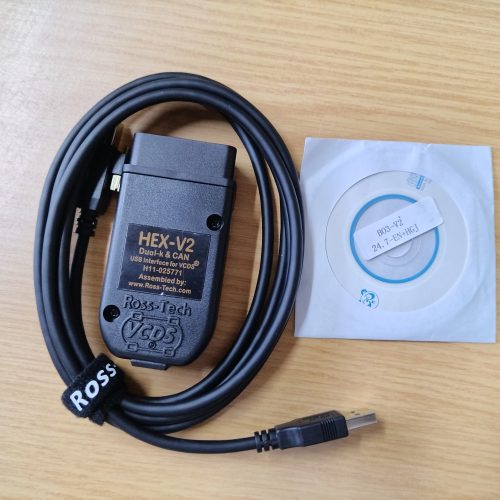
- Connect to the Vehicle: Use a compatible BMW diagnostic cable (e.g., ISTA cable or USB-to-OBD2 adapter) to connect your PC to the vehicle’s OBD2 port.
- Launch ISTA Plus: Open the software and select your vehicle model, year, and VIN. The system will automatically detect available modules.
- Perform Diagnostics or Programming: Choose from options like “Read Fault Codes,” “Update Software,” “Restore History,” or “Edit Map Files.”
- Use Nitro Integration: For advanced users, launch Nitro from within the software to unlock hidden features or bypass restrictions.
Real-World Use Case: Fixing a BMW 3 Series with a Dead BCM
A few months ago, a customer brought in a 2018 BMW 330i with a non-functional BCM (Body Control Module). The car wouldn’t start, and the dashboard was blank. Standard scanners showed no communication. Using this ISTA Plus download, I was able to:
- Connect via the ISTA cable and establish full communication with the vehicle.
- Access the BCM’s programming history and identify a failed firmware update.
- Download the correct firmware map from the software’s internal library.
- Reprogram the BCM using the built-in programming tool.
- Restore the original circuit diagram to verify wiring integrity.
- Confirm the fix with a full system check and clear all codes.
The car started immediately after the reprogramming. The customer was amazed—this would have cost over $1,200 at a dealership. With this software, I saved them time and money while delivering a professional-grade repair.
Technical Specifications and Compatibility
This BMW ISTA Plus Full Diagnostic Software is compatible with a wide range of BMW models and years. Below is a list of supported vehicles:
| Model Series | Supported Years | Compatible Software Versions |
|---|---|---|
| BMW 1 Series | 2011–2023 | ISTA Plus v4.10–v4.20 |
| BMW 3 Series | 2005–2023 | ISTA Plus v4.10–v4.20 |
| BMW 5 Series | 2007–2023 | ISTA Plus v4.10–v4.20 |
| BMW 7 Series | 2010–2023 | ISTA Plus v4.10–v4.20 |
| BMW X1/X3/X5/X7 | 2012–2023 | ISTA Plus v4.10–v4.20 |
| BMW M Series | 2010–2023 | ISTA Plus v4.10–v4.20 |
Additionally, the software supports all major BMW platforms including CLAR, UKL, FAAR, and CLAR-2, ensuring compatibility with both older and newer models.
Final Thoughts: A Must-Have for BMW Technicians
If you’re serious about BMW diagnostics and programming, this BMW ISTA Plus Full Diagnostic Software is not just a tool—it’s a professional-grade solution that brings dealership-level capabilities to your desktop. With full access to vehicle history, map editing, circuit diagrams, and Nitro integration, you’re equipped to handle even the most complex repairs. Whether you’re a technician, a hobbyist, or a repair shop owner, this software delivers unmatched value, reliability, and performance.
Don’t let outdated tools hold you back. Upgrade your diagnostic workflow today with the complete ISTA Plus download package—your BMW repairs will never be the same.
Package list:
Interface/Diagnostic Cable
Software
Reviews
There are no reviews yet.